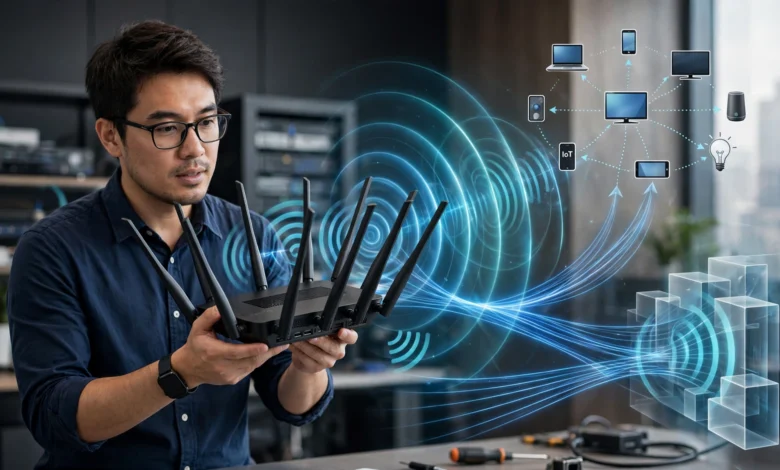
If you’ve ever glanced at your Wi-Fi router and wondered why it looks like a small robot with several arms sticking out, you’re not alone. Router antennas are one of those things everyone sees but almost nobody understands. Some routers have two antennas, some have four, and a few high-end gaming routers look like they’re bristling with eight or more. Is this just marketing, or is there real engineering behind it?
The short answer is that more antennas usually mean better coverage, faster speeds, and a more stable connection, but only up to a point, and only if the router is built well. Antennas aren’t decoration. Each one plays a specific role in sending and receiving wireless signals, and the number and placement of them directly affects how your devices connect to the internet throughout your home.
In this article, we’ll break down exactly why routers have multiple antennas, how technologies like MIMO and beamforming actually work, what the difference is between internal and external antennas, and how to figure out whether more antennas will genuinely help your setup or if you’re just paying for looks. By the end, you’ll understand your router a lot better than most people who’ve been using Wi-Fi for years.
The Short Answer: It’s About MIMO Technology
The main reason modern routers have multiple antennas comes down to a technology called MIMO, which stands for Multiple Input, Multiple Output. This is the single biggest factor behind the antenna count on any router you buy today.
MIMO allows a router to send and receive more than one data stream at the same time, using separate antennas for each stream. Instead of one antenna doing all the work, several antennas divide the job between them. This means:
- Faster overall data transfer, since multiple streams move simultaneously instead of one after another
- Better handling of multiple devices connected at once, like phones, laptops, smart TVs, and speakers all pulling data at the same time
- More reliable connections in homes with interference from walls, furniture, or other electronics
A basic Wi-Fi setup years ago used a single antenna to send a single stream of data. That worked fine when people had one laptop and maybe a phone. Now, with the average household running ten or more connected devices, a single stream just can’t keep up. MIMO, and the multiple antennas it requires, is how routers solve that problem.
How MIMO Actually Works
Each antenna in a MIMO system handles its own independent stream of data. When you download a large file or stream a 4K video, the router can split that traffic across two, three, or four antennas depending on the model. The receiving device, assuming it also supports MIMO, picks up these separate streams and reassembles them.
Think of it like a highway. A single-lane road can only move so many cars per minute no matter how fast they drive. Add more lanes, and you move a lot more traffic in the same amount of time. Antennas work the same way for wireless data.
MU-MIMO: Serving Multiple Devices at Once
A more advanced version of this technology, called MU-MIMO (Multi-User MIMO), takes things a step further. Instead of one device using all the streams, MU-MIMO lets the router send separate streams to separate devices at the same time.


Before MU-MIMO existed, routers handled devices one at a time, cycling through them so fast it felt simultaneous, but it wasn’t actually happening at once. With enough antennas and MU-MIMO support, your router can genuinely talk to your laptop, your phone, and your smart speaker all in the same instant, rather than juggling between them.
This is why gaming routers and mesh systems built for larger households often advertise four, six, or even eight antennas. It’s not just about raw speed to a single device, it’s about handling a busy network without everything slowing down when multiple people are online.
Beamforming: Antennas Aren’t Just Broadcasting in Every Direction
Another major reason for multiple antennas is a feature called beamforming. Without beamforming, a router antenna sends its signal outward in a broad, unfocused pattern, like a lightbulb lighting up an entire room evenly. This wastes a lot of signal strength on empty space where no device is sitting.
Beamforming uses multiple antennas working together to detect where a connected device physically is, and then focus the wireless signal more directly toward it, like a flashlight beam instead of a bare bulb. This has a few clear benefits:
- Stronger signal reaching your device, even if it’s in a far room or behind a wall
- Less wasted energy and interference in directions where nothing is connected
- Improved performance for devices farther from the router, which is often the weakest point in home Wi-Fi
Beamforming physically requires more than one antenna to work, since the router needs to compare signal timing across antennas to figure out a device’s direction and shape the beam. This is one of the more technical reasons a single-antenna router simply can’t compete with a multi-antenna one in a real house with multiple rooms.
Why Beamforming Matters More Than You’d Think
A lot of people assume Wi-Fi dead zones are purely about distance, but direction matters just as much. If your router is broadcasting evenly in all directions, half that signal might be pointed at an outside wall or an empty hallway while your actual living room struggles. Beamforming antennas correct for this, and that correction only becomes possible once you add more than one antenna to the equation.
The IEEE, which sets the technical standards for Wi-Fi and networking hardware worldwide, has documented how these multi-antenna techniques improved wireless efficiency significantly compared to older single-antenna designs. You can read more about their wireless standards work directly on the IEEE Standards Association website.
Internal vs External Antennas: Does It Matter?
Not every router shows off its antennas. Some models, especially newer mesh systems and compact routers, hide their antennas completely inside a sleek plastic shell. Others proudly display four or six external antennas sticking straight up. So does the visible design actually matter for performance?
External Antennas
External antennas are the ones you can see and often physically adjust. They tend to offer:
- Easier signal direction control, since you can angle them based on your home’s layout
- Slightly stronger raw signal output in many cases
- A visual cue to buyers that the router is built for performance, which is why gaming and business routers usually show them off
Internal Antennas
Internal antennas are built into the router’s casing and hidden from view. Manufacturers use these when:
- The design prioritizes a smaller, more attractive form factor for the home
- The router uses mesh networking, where multiple smaller units placed around the house replace the need for long-range external antennas on a single unit
- The antenna technology has advanced enough that internal placement doesn’t sacrifice much performance
Neither type is automatically better. A well-engineered internal antenna array can outperform a cheap external one. What actually matters more is the number of independent antenna streams (the MIMO configuration) and how well the router’s software manages beamforming and traffic, not whether you can physically see the antenna.
How Many Antennas Do You Actually Need?
This is the question most people really want answered. The honest truth is that antenna count alone doesn’t tell you everything, but it’s still a useful starting point when comparing routers.
2 Antennas
Fine for small apartments or single-person households with basic needs like browsing, email, and standard video streaming. These routers typically support basic MIMO with two streams.
4 Antennas
A solid middle ground for most families. Four antennas usually support better MU-MIMO handling, meaning multiple people can stream, game, or video call simultaneously without much slowdown. This is the most common setup for mid-range home routers today.
6 to 8 Antennas
Aimed at larger homes, households with many connected devices, or serious gamers and streamers who need low latency and maximum throughput. These routers often combine multiple frequency bands (2.4GHz, 5GHz, and sometimes 6GHz) with dedicated antennas for each band, plus additional antennas for beamforming precision.
It’s worth noting that more antennas doesn’t automatically mean better Wi-Fi if the internal chipset, processor, and software are weak. A cheap router with eight antennas can still underperform a well-designed router with four, because the antennas are only as good as the technology coordinating them.
Dual-Band and Tri-Band Routers: Another Reason for More Antennas
Beyond MIMO and beamforming, another simple reason routers carry multiple antennas is frequency separation. Most modern routers broadcast on more than one frequency band at the same time:
- 2.4GHz band, which travels farther and penetrates walls better, but is slower and more congested since older devices and appliances like microwaves also use it
- 5GHz band, which is faster but has a shorter range and struggles more with physical obstacles
- 6GHz band, found in newer Wi-Fi 6E and Wi-Fi 7 routers, offering even faster speeds with the least interference, though the shortest range of the three
Routers that broadcast on two or three of these bands simultaneously often need separate antennas dedicated to each band, since a single antenna isn’t always efficient across drastically different frequencies. A tri-band router, for example, might use two antennas for 2.4GHz, two for 5GHz, and two more for 6GHz, which alone accounts for six antennas before beamforming or MIMO streams are even factored in.
The Wi-Fi Alliance, the organization responsible for certifying Wi-Fi devices and standards globally, has published detailed explanations of how these bands function and why manufacturers design hardware around them. Their official resource is available at the Wi-Fi Alliance website.
Does Antenna Placement and Angle Matter?
For routers with external, adjustable antennas, positioning genuinely affects performance, and it’s one of the most overlooked aspects of home networking. A few practical tips:
- Angle antennas perpendicular to each other if you have multiple antennas, such as one straight up and one at a 90-degree angle. This helps capture signals from devices at different orientations, since your phone or laptop antenna isn’t always aligned the same way.
- Keep the router elevated and central in your home rather than tucked in a corner or closet, since walls and floors weaken signal strength regardless of how many antennas you have.
- Avoid placing routers near metal objects or large appliances, which can reflect or block wireless signals no matter how well-designed the antenna array is.
Small adjustments like these can noticeably improve your connection without spending a cent on new hardware.
Common Myths About Router Antennas
There’s a lot of misinformation floating around about what antennas actually do. Here are a few worth clearing up:
- Myth: More antennas always mean faster internet speed. Your actual internet speed is determined by your service provider and plan. Antennas affect how well that speed is distributed around your home, not the speed itself coming from outside.
- Myth: External antennas are always better than internal ones. As covered earlier, this depends entirely on the underlying technology, not just visibility.
- Myth: You should remove antennas you’re not using to reduce interference. Removing antennas can actually disable MIMO streams entirely, hurting your Wi-Fi rather than helping it. Never remove functional antennas from a router expecting a performance boost.
- Myth: All antennas on a router do the same job. As explained above, different antennas are frequently dedicated to different bands or different functions like transmitting versus receiving.
Frequently Asked Questions
Why do some cheap routers still have four antennas?
Antenna count is inexpensive to manufacture compared to the actual chipset and processing power inside a router. Some budget brands add extra antennas mainly for visual appeal and marketing, while the internal hardware isn’t strong enough to fully use them. Always check MIMO specifications and processor details, not just antenna count, before buying.
Can I add more antennas to my existing router?
In most cases, no. The number of antennas is tied directly to the router’s internal chipset design. You typically can’t add functional antennas to a router that wasn’t built to support them, even if there are open physical connectors.
Do mesh Wi-Fi systems need as many antennas as traditional routers?
Not necessarily on each individual unit, since mesh systems spread coverage across multiple smaller devices placed around the house rather than relying on one router with a long reach. Each mesh node may have fewer antennas, but the combined coverage compensates for it.
Does 5G home internet equipment also use multiple antennas for the same reasons?
Yes. 5G routers and gateways rely on similar MIMO principles to handle multiple simultaneous data streams, though they also use antennas specifically tuned for cellular frequencies rather than just Wi-Fi.
Conclusion
Router antennas aren’t just a design choice or a marketing gimmick, they’re a direct reflection of the technology working inside the device. Multiple antennas allow routers to use MIMO and MU-MIMO to handle several data streams and devices at once, support beamforming to direct signal strength exactly where it’s needed, and manage multiple frequency bands like 2.4GHz, 5GHz, and 6GHz simultaneously. The number of antennas alone doesn’t guarantee performance, since the quality of the internal chipset and software matters just as much, but understanding what those antennas actually do makes it much easier to choose a router that fits your home, your device count, and your everyday internet habits, rather than picking one just because it looks impressive on a shelf.