WhatsApp Expands Voice Message Transcription to 5 New Languages
WhatsApp voice transcription now supports more languages on Android, letting you read voice notes instantly without sound.
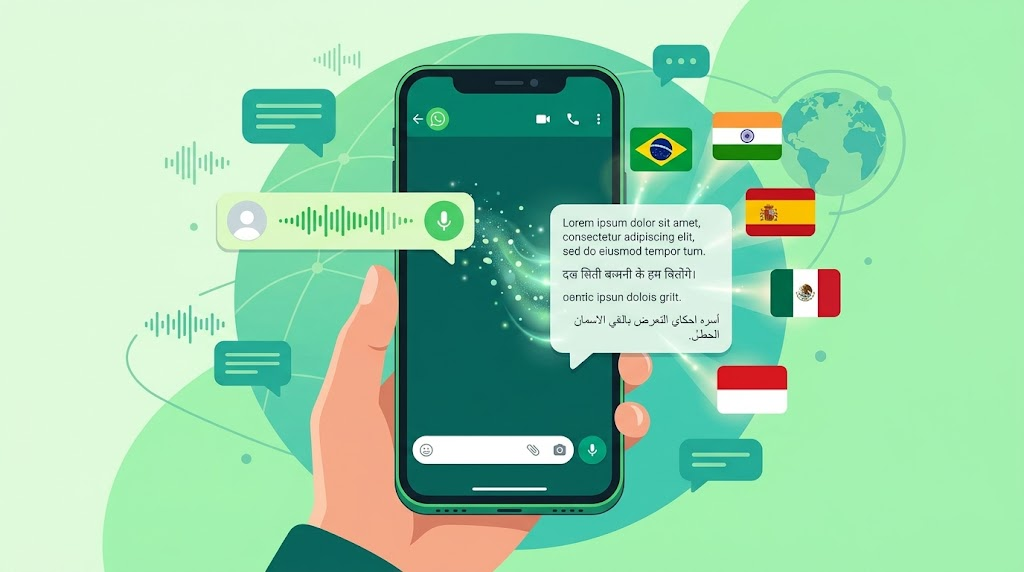
WhatsApp voice transcription just got a lot more useful for people who don’t speak English by default. In a new Android beta build, the app has quietly widened the net of languages its on-device transcription feature can handle, adding regional variants of English, German, French, Italian, and Japanese on top of the five it already supported. If you’ve ever gotten a two-minute voice note in a crowded room, on a call, or during a meeting and had no way to actually “read” it, this update is aimed squarely at you.
The feature itself isn’t new. WhatsApp introduced voice message transcripts back in late 2024, pitching it as a way to keep up with conversations without needing headphones or a quiet corner. What’s changed now is the reach. More people, in more countries, speaking more dialects of the same core languages, can finally turn a voice note into text they can skim in two seconds. And because the whole process happens on your device rather than on a server somewhere, your conversations never leave the encrypted bubble WhatsApp is built around.
Below, we’ll break down exactly what changed, which languages are involved, how the feature works under the hood, how to turn it on, and where it still falls short.
What Changed With WhatsApp Voice Transcription
The update showed up in WhatsApp beta for Android version 2.26.37.5, and it expands transcription support to include additional regional variants of five languages:
- English
- German
- French
- Italian
- Japanese
This builds directly on the five languages WhatsApp already supported for voice message transcription on Android: Arabic, Spanish, Hindi, Portuguese, and Russian. So instead of a flat list of languages, WhatsApp is now filling in the regional gaps within languages it already technically covered. That matters more than it sounds. A single language label like “English” or “Portuguese” can hide huge differences in accent, vocabulary, and pronunciation depending on where the speaker is from, and speech recognition models tend to perform noticeably better when they’re trained on the specific regional flavor of a language rather than one generic version.
For anyone whose language previously had no transcription support at all, or whose regional accent kept tripping up the transcript, this rollout is exactly the kind of change that quietly makes the app more usable day to day.
How WhatsApp’s Voice Message Transcription Actually Works
One of the most important things to understand about WhatsApp voice transcription is where the processing happens. WhatsApp doesn’t upload your voice notes to a server to have them converted into text. Instead, the app downloads a small language pack directly onto your phone, and your device does the actual transcription work locally.
This is the same basic approach WhatsApp has used before with other on-device features, and it’s a deliberate design choice tied to the platform’s end-to-end encryption. If voice notes were sent off to an external server for transcription, that would effectively create a copy of your message outside the encrypted chat, which defeats the point of encryption in the first place. By keeping transcription local:
- Your voice messages are never transmitted anywhere else to generate text
- Only you can see the transcript, not WhatsApp or any third party
- The feature still works even without an active internet connection, once the relevant language pack is downloaded
That last point is worth repeating: on-device transcription means you can transcribe old voice notes on a plane, in the subway, or anywhere else you’d normally be stuck listening to audio with no signal.


Why On-Device Processing Matters for Privacy
Privacy has been WhatsApp’s whole pitch since Meta rolled out end-to-end encryption across the platform, and voice transcription had to be built in a way that didn’t undercut that promise. According to the WhatsApp blog, transcripts are generated on your device specifically so that no one, including WhatsApp itself, can access the text of your personal voice messages.
That distinction separates WhatsApp’s built-in feature from a lot of third-party “transcribe my WhatsApp voice notes” tools and browser extensions, which typically require exporting the audio file and uploading it to an external server to get a transcript back. Those tools can be genuinely useful for niche cases, like professional researchers who need bulk transcription across dozens of languages, but they’re a fundamentally different privacy trade-off than a feature that never leaves your phone.
If you care about keeping your conversations private by default, the native WhatsApp transcription feature is the safer option for everyday personal use.
How to Turn On Voice Message Transcripts
Enabling voice message transcription on WhatsApp only takes a few taps, though you’ll need to plan for a short download the first time you set up a new language.
- Open WhatsApp and go to Settings
- Tap Chats
- Select Voice Message Transcripts
- Turn the toggle on
- Choose the language you want transcripts generated in
- Wait for the language pack to download to your device
Once that’s done, you don’t get transcripts automatically for every voice note you receive. Instead, WhatsApp transcribes messages on request:
- Long-press on any voice message in a chat
- Tap Transcribe
- The text will appear underneath the audio player, right in the conversation
If you haven’t downloaded the language pack for the message you’re trying to transcribe, WhatsApp will prompt you to download it first before it can generate any text. This keeps the app from silently pulling large files onto your phone without your knowledge, though it does mean a bit of friction the first time you try to transcribe a voice note in a new language.
Android vs. iOS: A Longstanding Gap
If you’ve compared notes with a friend on the other platform, you may have noticed that WhatsApp’s transcription language support hasn’t been identical across Android and iOS. Historically, iOS has shipped with a wider language list than Android, largely because Apple’s devices lean on Apple’s own on-device speech recognition frameworks, which already support a broader set of languages out of the box.
On iOS 16 and later, WhatsApp transcription has generally supported:
- English
- Spanish
- French
- German
- Italian
- Japanese
- Korean
- Portuguese
- Russian
- Turkish
- Chinese
- Arabic
On iOS 17 and later, several additional languages have been layered on top, including Danish, Finnish, Malay, Norwegian, Dutch, Swedish, Hebrew, and Thai.
Android, by contrast, launched with a much shorter list and has been catching up gradually. The latest beta update narrows that gap slightly by adding depth (regional variants) rather than a long list of entirely new languages, which suggests WhatsApp is now focused on quality within existing languages as much as raw coverage. As TechCrunch reported when the feature first launched, WhatsApp explicitly said it planned to keep expanding language support over time, and this update is a continuation of that promise rather than a one-off fix.
Who Benefits Most From This Update
Not every WhatsApp user will notice this change immediately, but a few groups stand to gain the most from expanded voice note transcription:
- Commuters and office workers who receive voice notes during meetings or on public transport, where playing audio out loud isn’t an option
- People with hearing difficulties who rely on text alternatives to keep up with voice-heavy group chats
- Multilingual families and friend groups where voice notes get sent in a regional dialect that wasn’t previously recognized well
- Users in noisy environments, like construction sites, kitchens, or crowded public spaces, where listening to audio clearly is difficult
- Anyone managing high message volume, such as small business owners fielding customer voice notes throughout the day
For these groups, being able to skim a transcript instead of playing back a 90-second recording is a real quality-of-life improvement, not just a nice-to-have.
Where WhatsApp Voice Transcription Still Falls Short
It’s worth being upfront about the limits of this feature, because they haven’t fully disappeared with this update.
Limited Language Coverage Compared to Global Usage
Even with the new regional variants, WhatsApp’s transcription still doesn’t cover the full range of languages spoken by its user base, which spans billions of people across dozens of countries. Several South Asian languages, smaller European languages, and most African languages remain unsupported as of this update. If your primary language isn’t on the list, you’re still stuck listening to the full audio.
Mixed-Language Voice Notes Cause Problems
WhatsApp’s transcription engine is built to handle one language at a time. A voice note that mixes two languages, which is extremely common in bilingual households and workplaces, often comes out garbled or incomplete. This is a known weak spot compared to some third-party transcription tools built on more flexible speech models, which are sometimes better at handling code-switching between languages.
Manual Transcription, Not Automatic
WhatsApp doesn’t transcribe every voice note the moment it arrives. You have to actively long-press and tap “transcribe” each time, which is a minor inconvenience if you’re trying to quickly triage a long list of unread messages.
Regional Accuracy Can Still Vary
Even within a supported language, accuracy tends to dip with heavy background noise, fast speech, or strong regional accents that fall outside the newly added variants. The feature works best in relatively clean audio conditions, similar to most speech-to-text systems.
What This Means for the Future of WhatsApp
This latest expansion fits a pattern WhatsApp has followed since the feature debuted: start with a handful of major languages, then widen coverage in stages rather than all at once. The company reused its existing on-device translation architecture to build transcription in the first place, which suggests future updates are likely to keep layering on new languages and regional variants using the same underlying framework, rather than rebuilding the feature from scratch each time.
Given that this update is currently limited to an Android beta build, it’s reasonable to expect a staged rollout to the stable version of the app over the coming weeks, followed eventually by broader availability. WhatsApp has historically described these rollouts as gradual and region-dependent, so not every user will see the new languages appear on the same day even after the update goes live more broadly.
Quick Recap: Supported Languages at a Glance
Here’s where things currently stand for WhatsApp voice message transcription on Android:
- Previously supported: Arabic, Spanish, Hindi, Portuguese, Russian
- Newly added (beta, regional variants): English, German, French, Italian, Japanese
On iOS, supported languages vary by operating system version, with iOS 17 and later offering the broadest coverage, including several European and Middle Eastern languages not yet available on Android.
Conclusion
WhatsApp’s decision to widen voice transcription to more regional language variants is a small update on paper, but it solves a genuinely common frustration for millions of users who’ve had to sit through voice notes they’d rather just read. By adding depth to English, German, French, Italian, and Japanese on top of the five languages already supported, and by keeping the entire process on-device for privacy, WhatsApp is steadily closing the gap between what the feature promises and what it can actually deliver worldwide. The rollout is still limited to an Android beta for now, and real gaps remain, from unsupported languages to mixed-language voice notes, but the direction is clear: more people are going to be able to turn a voice note into readable text without ever leaving the app, and without any of it leaving their phone either.