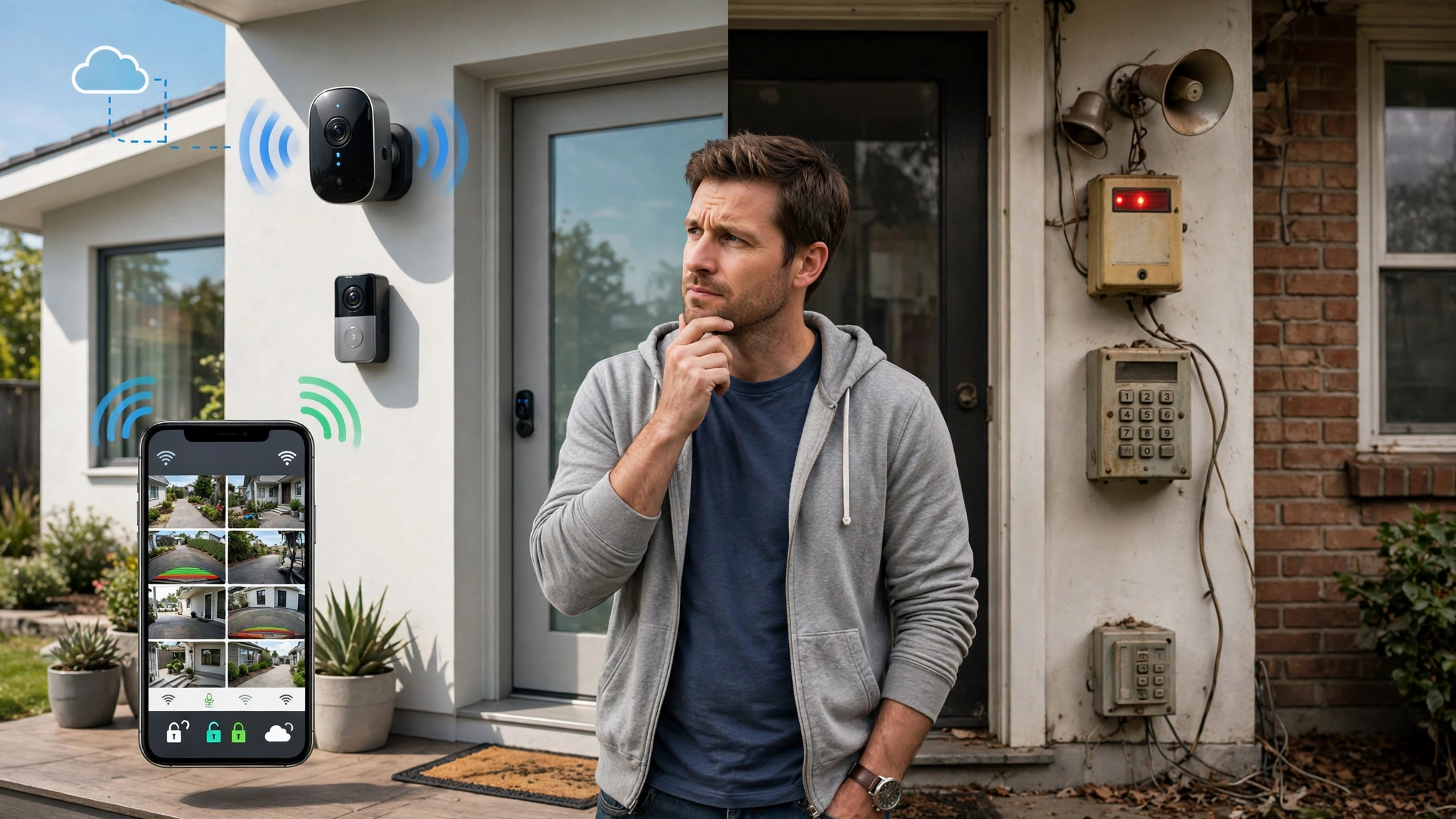
Smart security systems get most of the attention these days. App alerts, facial recognition, voice control, it all sounds impressive in a product demo. But anyone who has lost internet during a storm and watched their entire camera network go dark knows there’s a catch. Meanwhile, “dumb” security equipment, like wired motion sensors, mechanical locks, and standalone alarms, never needed Wi-Fi to work in the first place, and that reliability still matters.
The real question isn’t whether smart technology or traditional hardware is better. It’s how they perform together. A home security system built entirely on smart devices can be hacked, jammed, or knocked offline with a power outage. A system built entirely on old-school hardware misses out on remote monitoring, mobile alerts, and the kind of visibility that modern homeowners and business owners expect.
This article breaks down what separates smart and dumb security equipment, where each one falls short, and why a hybrid approach, blending both, tends to outperform either option on its own. Whether you’re protecting a house, an office, or a warehouse, understanding this distinction will help you build a setup that actually holds up when it counts, not just when the Wi-Fi is working.
What Makes a Security System “Smart”?
A smart security system connects to the internet or a local network and lets you control, monitor, or automate it remotely. Instead of just recording footage or sounding an alarm, smart devices process information, send notifications, and often integrate with other smart home devices.
Common features of smart setups include:
- Motion-activated cameras that send push notifications to your phone
- Video surveillance with cloud storage and searchable footage
- Smart locks that can be opened remotely or scheduled for specific hours
- Integration with voice assistants like Alexa or Google Home
- AI-based facial recognition and package detection
- Two-way audio, so you can talk to whoever is at your door
The appeal is obvious. You get real-time information no matter where you are, and many systems learn your habits over time, cutting down on false alarms. Brands like Ring, Arlo, and SimpliSafe have built entire businesses around this convenience.
But smart doesn’t automatically mean better. Every connected device is also a potential entry point for hackers, and every camera that depends on the cloud depends on your internet connection staying up.
What Counts as a “Dumb” Security System?
“Dumb” isn’t really an insult here, it just means the device does one job without needing an internet connection or an app to function. Traditional security systems rely on physical mechanisms and local circuits rather than software.
Examples include:


- Wired motion sensors connected directly to a control panel
- Mechanical deadbolts and padlocks
- Standalone alarm systems that trigger a loud siren without notifying anyone remotely
- Analog CCTV cameras that record to a local DVR, not the cloud
- Window and door contact sensors wired into a central hub
These systems tend to be simpler, cheaper to maintain, and far less vulnerable to hacking, since there’s no network connection to exploit. A wired alarm system doesn’t care if your Wi-Fi router goes down or if someone jams your signal from outside. It just does its job.
The tradeoff is convenience. You won’t get a phone alert if someone breaks a window while you’re at work. You’ll only find out when you get home, or when a neighbor hears the siren.
Smart vs. Dumb Security Systems: Key Differences
Understanding the practical differences between smart and dumb security systems helps clarify why neither one is a complete solution on its own.
Reliability During Outages
Dumb systems keep working during power outages (if battery-backed) and internet disruptions. Smart systems, especially those relying entirely on Wi-Fi cameras and cloud storage, can go completely blind the moment your connection drops. This is one of the biggest arguments for keeping at least some hardwired components in any serious surveillance system.
Vulnerability to Hacking
Every internet-connected device is a potential target. Weak passwords, outdated firmware, and unsecured Wi-Fi networks have all been used to compromise smart cameras and baby monitors in real, documented cases. The Federal Trade Commission has published guidance on securing connected devices, and it’s worth reading if you’re relying heavily on IoT security equipment. You can review their recommendations directly through the FTC’s guide on securing your home network.
Dumb devices, by contrast, have no network layer to attack. A mechanical lock can be picked, but it can’t be hacked remotely from another country.
Response Time and Notification
This is where smart technology clearly wins. A smart alarm system can notify your phone, alert a monitoring center, and even contact emergency services within seconds. A dumb siren just makes noise and hopes someone nearby notices. If speed of response matters most to you, smart components fill a gap that traditional hardware simply can’t.
Cost and Maintenance
Dumb systems are usually cheaper upfront and don’t come with subscription fees. Smart systems often require a monthly plan for cloud storage or professional monitoring, which adds up over years of use. On the other hand, smart systems can reduce false-alarm fines and give you footage evidence that dumb systems can’t easily provide.
Installation Complexity
Wired, dumb systems typically require professional installation and can involve running cables through walls. Smart systems are often designed for DIY setup, which is part of why they’ve become so popular with renters and first-time buyers.
The Case for Going Hybrid
A hybrid security system takes the strongest parts of both approaches and layers them together, so a failure in one part doesn’t take down the whole setup.
When Dumb Sensors Outperform Smart Ones
Wired door and window contacts are extremely reliable and rarely need battery changes. Mechanical locks can’t be disabled by a Wi-Fi jammer, which matters more than people realize since jamming devices are cheap and easy to buy online. For any entry point you consider critical, a dumb sensor wired into a central panel is often the more dependable choice.
When Smart Cameras Add Real Value
Smart video surveillance genuinely shines in situations like:
- Monitoring a property while you’re traveling
- Checking in on kids or pets during the day
- Reviewing footage after an incident without needing to physically retrieve a hard drive
- Getting instant alerts for motion in specific zones, like a driveway or backyard
- Verifying deliveries or visitors before opening the door
These are convenience and awareness features that dumb hardware simply can’t replicate. The key is not relying on them as your only layer of protection.
Building Redundancy Into Your System
The safest approach layers technology so that if one part fails, another still functions. For example:
- A wired alarm panel that works even if the internet is down
- A smart camera system for remote viewing and alerts when the network is up
- Battery backup for both smart and dumb components
- A cellular backup module so alerts still go through if Wi-Fi is cut
This kind of layered security approach is standard practice in commercial and industrial settings, and it’s becoming more common in residential setups too, especially as break-in tactics have adapted to target smart home vulnerabilities specifically.
Real-World Examples of Hybrid Security Setups
Here’s what a practical hybrid setup might actually look like for different situations:
For a single-family home: A wired alarm panel with door and window sensors (dumb, reliable), paired with two or three smart outdoor cameras for driveway and entry monitoring, plus a smart doorbell camera. The panel handles the core protection; the cameras add visibility and remote alerts.
For a small business: Analog CCTV recording locally to a DVR as the backbone system, combined with a few networked cameras at entrances for remote access by managers. If the internet goes down overnight, the core recording system keeps running.
For an apartment or rental: Since wiring isn’t always an option, this might mean battery-powered contact sensors on doors and windows (many of these work over a local mesh network rather than depending on cloud servers) alongside a couple of Wi-Fi cameras for the main entry points.
In each case, the strategy is the same: don’t put all your protection behind a single internet connection or a single mechanical lock.
How to Build a Hybrid Security System
If you’re planning a setup from scratch, here’s a straightforward approach:
- Map your priority points. Identify the doors, windows, and areas that matter most, garages, back entrances, ground-floor windows.
- Install wired sensors on critical entry points. These give you a reliable baseline that doesn’t depend on Wi-Fi.
- Add smart cameras where visibility matters most. Focus on driveways, front doors, and any blind spots around the property.
- Choose a central panel that supports both. Many modern alarm panels can integrate wired sensors with smart, app-connected components.
- Set up cellular or battery backup. This keeps your system operational during power or internet outages.
- Secure your network. Use strong, unique passwords and keep firmware updated on every connected device. The National Institute of Standards and Technology offers useful, plain-language advice in its guidance on securing IoT devices, which applies directly to home and business camera systems.
- Test the system regularly. Simulate a power outage or disconnect the Wi-Fi to confirm your dumb components still function as expected.
Common Mistakes to Avoid
- Relying entirely on cloud-based cameras with no local recording backup
- Using default passwords on smart cameras or doorbell devices
- Skipping battery backup, which leaves your entire system vulnerable during outages
- Ignoring firmware updates, which patch known security holes
- Overlooking physical security basics like solid door frames and quality deadbolts, assuming cameras alone will deter intruders
None of these mistakes are complicated to fix, but they’re the ones that show up most often after a break-in, when it’s too late to matter.
Conclusion
Smart vs. dumb security systems isn’t really a competition with a single winner. Smart devices bring convenience, remote access, and instant alerts, but they depend on power and internet connections that can fail at the worst possible moment. Dumb, wired hardware brings dependability that doesn’t waver during outages or network attacks, but it can’t match the visibility and speed of a connected system. The strongest, most resilient setups use both, wired sensors and mechanical locks as a dependable backbone, smart cameras and alerts as an added layer of awareness and speed. Building a hybrid security system this way means one point of failure doesn’t leave your home or business exposed, which is really the whole point of security in the first place.