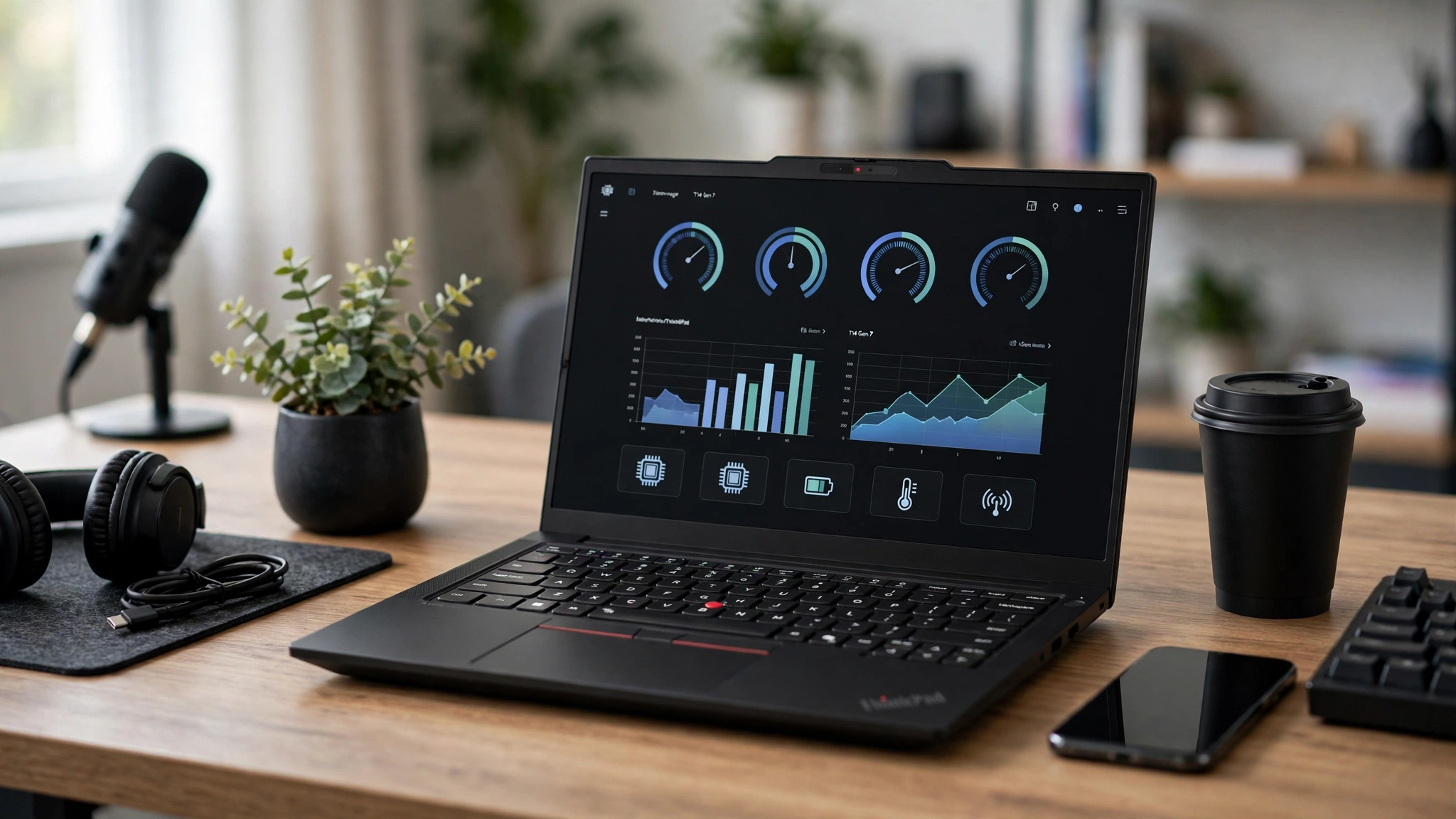
The Lenovo ThinkPad T14 Gen 7 is here, and it shows Lenovo trying something it doesn’t do often: putting repairs ahead of raw speed. The ThinkPad T series has been the default office laptop for more than 25 years. You’ll find it in banks, hospitals, law firms and IT departments, usually bought by the hundreds. So when Lenovo changes the formula, a lot of people notice.
Lenovo unveiled the Lenovo ThinkPad T14 Gen 7 at MWC 2026 in March, and units began reaching buyers through the spring and summer. The headline changes are Intel’s new Panther Lake processors, upgradeable LPCAMM2 memory, a redesigned chassis and a long list of parts you can now swap with a screwdriver, or with no tools at all. There is also an AMD version built around the Ryzen AI 7 PRO 450.
On paper the Lenovo ThinkPad T14 Gen 7 sounds like an easy win. The catch is price. A memory shortage has pushed laptop costs up across the industry, and the Lenovo ThinkPad T14 Gen 7 starts noticeably higher than last year’s model while delivering very similar performance on the entry chips.
In this ThinkPad T14 Gen 7 review we go through the design, display options, keyboard, ports, business laptop performance, battery life, security and value, using published lab results from independent testers. By the end you should know which configuration makes sense, which to skip, and whether the older Gen 6 is the smarter buy for your team.
Lenovo ThinkPad T14 Gen 7 at a Glance
Before getting into the details, here is what the Lenovo ThinkPad T14 Gen 7 offers on paper. Exact options vary by region and model number, so treat this as a guide rather than a final spec sheet.
| Spec | Lenovo ThinkPad T14 Gen 7 (Intel) | Lenovo ThinkPad T14 Gen 7 (AMD) |
|---|---|---|
| Processor | Intel Core Ultra 5 325 up to Core Ultra X7 358H (Panther Lake) | AMD Ryzen AI 5 PRO and Ryzen AI 7 PRO 450 |
| Graphics | Intel Graphics, Arc B370 or Arc B390 on select H chips | AMD Radeon 860M |
| Memory | Up to 64 GB LPDDR5X, one LPCAMM2 module | Up to 64 GB DDR5, two SO-DIMM slots |
| Storage | One M.2 2280 SSD, up to 2 TB | One M.2 2280 SSD |
| Display | 14-inch 16:10, WUXGA IPS up to 2.8K OLED 120 Hz | 14-inch 16:10, WUXGA IPS options |
| Battery | 60 Wh or 75 Wh, Rapid Charge | 60 Wh or 75 Wh, Rapid Charge |
| Wireless | Wi-Fi 7, Bluetooth 5.4, optional 4G or 5G | Wi-Fi 7, optional 4G or 5G |
| Size | 313.6 x 221.7 x up to 23.5 mm | 313.6 x 221.7 x up to 22 mm |
| Weight | From about 1.27 kg (2.8 lb) | From about 1.28 kg (2.8 lb) |
| Starting price (US) | About $1,618 on Lenovo.com at launch | About $1,852 at CDW (16 GB) |
The short version: the Lenovo ThinkPad T14 Gen 7 is a mid-weight 14-inch machine with a choice of two chip platforms, four screens and two batteries. The Intel Lenovo ThinkPad T14 Gen 7 is the more interesting of the pair because of its new memory format, and it’s the one most testers have focused on.
Design and Build Quality of the Lenovo ThinkPad T14 Gen 7
Lenovo tends to redesign its ThinkPads every third generation, and this is one of those years. The Gen 5 and Gen 6 shared a chassis. The Lenovo ThinkPad T14 Gen 7 gets a new one.
Same Materials, New Hinge
At first glance you might not spot the difference on the Lenovo ThinkPad T14 Gen 7. Lenovo still uses black plastic with a smooth coating, reinforced with magnesium in the base. It isn’t as fancy as the aluminum on a consumer ultrabook, but it is tough and it doesn’t flex much when you grab it by a corner. Testers also noted that the new coating doesn’t pick up fingerprints as quickly as older ThinkPads did.
The biggest visible change on the Lenovo ThinkPad T14 Gen 7 is the hinge. The two small metal hinges are gone, replaced by one long hinge across the back. That change does three useful things:

- It lets Lenovo shrink the screen bezels a little.
- It gives the Wi-Fi antennas a new home inside the hinge.
- It lets you open the lid with one hand.
The screen on the Lenovo ThinkPad T14 Gen 7 still folds back a full 180 degrees, which is handy when you’re showing something to a colleague across a desk. The one complaint is a bit of wobble in the display when you type hard.
Size and Weight
The Lenovo ThinkPad T14 Gen 7 is about 2 mm smaller in width and depth than the Gen 6, but very slightly thicker at 23.5 mm at its tallest point. Lenovo lists a starting weight of about 1.27 kg with the 60 Wh battery and about 1.37 kg with the 75 Wh pack. Configurations with a 5G modem or touchscreen weigh more, and one test unit came in at roughly 1.45 kg.
That makes the Lenovo ThinkPad T14 Gen 7 a laptop you can carry all day without thinking about it, but it is not an ultralight. If weight is your top priority, the ThinkPad T14s Gen 7 drops to roughly 1.07 to 1.2 kg, though you give up the easy repairs covered below.
Lenovo ThinkPad T14 Gen 7 Display Options
Every screen on the Lenovo ThinkPad T14 Gen 7 is 14 inches with a 16:10 aspect ratio and a matte finish, which cuts glare under office lights. Lenovo offers four panels on the Intel model of the Lenovo ThinkPad T14 Gen 7:
- WUXGA IPS (1920 x 1200): 400 nits, 45% NTSC, 60 Hz. This is the base screen.
- Privacy Guard WUXGA IPS: 500 nits, 100% sRGB, 60 Hz, touch, with a built-in filter that blocks side views.
- Low Power WUXGA IPS: 500 nits, 100% sRGB, 60 Hz, touch, tuned to save battery.
- 2.8K OLED (2880 x 1800): 500 nits, 100% DCI-P3, 120 Hz variable refresh rate and HDR.
The Base Screen Is the Weak Spot
Pick the cheapest Lenovo ThinkPad T14 Gen 7 panel with care. In lab testing it reached about 422 nits with a 1279:1 contrast ratio, which is fine for reading email next to a window. Color is the problem. It covers only about 60% of sRGB, so photos look washed out and even calibration can’t fix that. If anyone on your team edits images, builds slide decks with brand colors or just wants a nicer screen, the Low Power or Privacy Guard panel is a worthwhile upgrade.
On the plus side, testers found no PWM flicker on the Lenovo ThinkPad T14 Gen 7 at any brightness level, which matters for people who get headaches from cheaper screens.
The OLED Option
The 2.8K OLED display turns the Lenovo ThinkPad T14 Gen 7 into a much nicer laptop for creative or presentation work, with deep blacks, full DCI-P3 color and a smooth 120 Hz refresh rate. It costs more and it uses more power, so expect shorter battery life than the IPS models.
Lenovo ThinkPad T14 Gen 7 Keyboard, TrackPoint and Touchpad
The keyboard has always been the main reason people stay loyal to ThinkPads, and the Lenovo ThinkPad T14 Gen 7 keeps it that way. Keys still have 1.5 mm of travel, a curved dish and a two-level backlight. Typing feels firm and accurate, and Notebookcheck scored the keyboard at 96%.
What has changed on the Lenovo ThinkPad T14 Gen 7 keyboard is the look. Lenovo redrew the key labels with a new font and moved them to the center of each key. Some long-time users like it, others don’t. It doesn’t affect how the keyboard feels.
The red TrackPoint and its three physical buttons are still there, and so is the mechanical Mylar touchpad, which measures 11.5 x 6 cm. It works well, but it is smaller than the glass haptic pads you get on many consumer laptops at this price.
Ports and Connectivity
The port layout on the Lenovo ThinkPad T14 Gen 7 is unchanged from last year, and that’s a good thing for anyone who lives on docks and dongles.
Left side:
- 2x Thunderbolt 4 / USB4 (40 Gbps) with power delivery and DisplayPort
- HDMI
- USB-A 5 Gbps
- nanoSIM tray (on WWAN-ready models)
Right side:
- 3.5 mm headset jack
- USB-A 5 Gbps
- Gigabit Ethernet (RJ45)
- Kensington lock slot
Wireless on the Lenovo ThinkPad T14 Gen 7 is handled by an Intel Wi-Fi 7 BE211 card, which hit close to 4 Gbps in close-range router tests, plus Bluetooth 5.4. Optional 4G and 5G modules use a spare M.2 2242 slot. The only real gaps on the Lenovo ThinkPad T14 Gen 7 are an SD card reader and a third USB-C port on the right side.
Repairability: The Real Headline of the Lenovo ThinkPad T14 Gen 7
This is where the Lenovo ThinkPad T14 Gen 7 separates itself from almost every other business laptop. Lenovo went through the inside of the machine and made common repairs simpler:
- Easier bottom cover. The base panel comes off with less effort than before.
- Tool-free battery. The battery is no longer screwed in. You press a button to release it.
- Modular USB-C ports. The charging ports, which wear out first on most laptops, sit on a separate board you can replace.
- Cleanable fan. You can clear dust from the fan without removing the heatsink and redoing thermal paste.
- LPCAMM2 memory. The Intel model uses a single LPCAMM2 module, which gives you fast LPDDR5X speeds and still lets you upgrade later.
- Swappable SSD and keyboard. The M.2 2280 drive and the keyboard can both be replaced by the user.
Only the processor and the Wi-Fi card are soldered inside the Lenovo ThinkPad T14 Gen 7. Notebookcheck gave the Lenovo ThinkPad T14 Gen 7 a 96% repairability score and called it “repairable almost to the max.”
For an IT department, the Lenovo ThinkPad T14 Gen 7 means fewer laptops sent away for repair, cheaper fixes and a longer working life for each machine. Lenovo also publishes manuals and repair videos, and reports a lower carbon footprint (111 kg CO2 equivalent) than the previous model. The AMD version keeps two standard SO-DIMM slots instead of LPCAMM2, so it is upgradeable too, just with a different memory type.
Lenovo ThinkPad T14 Gen 7 Performance
Lenovo offers ten Panther Lake chips on the Intel version of the Lenovo ThinkPad T14 Gen 7. They fall into two groups:
- Standard chips (6 to 8 cores): Core Ultra 5 332, Core Ultra 5 325, Core Ultra 5 335, Core Ultra 7 355 and Core Ultra 7 365.
- H-series chips (12 to 16 cores): Core Ultra 5 336H, Core Ultra 5 338H, Core Ultra 7 356H, Core Ultra 7 366H and Core Ultra X7 358H.
Most Lenovo ThinkPad T14 Gen 7 chips use Intel’s basic integrated graphics. The Core Ultra 5 338H gets the stronger Arc B370, and the Core Ultra X7 358H gets the Arc B390, the fastest graphics option on the machine.
How the Entry Model Performs
The most widely tested version uses the Intel Core Ultra 5 325 with 16 GB of memory. For everyday office work the Lenovo ThinkPad T14 Gen 7 is smooth: dozens of browser tabs, Teams calls, Excel, Outlook and PDF work all run without lag. Single-core speed is very close to last year’s Lunar Lake model.
Heavier work on the Lenovo ThinkPad T14 Gen 7 is a different story. In Cinebench R23 multi-core the Core Ultra 5 325 scored about 10,500 points, slightly behind the ThinkPad T14 Gen 6 with a Core Ultra 7 258V. AMD-based rivals such as the Asus ExpertBook PM3406 scored closer to 15,900. Graphics took a step back too. Cyberpunk 2077 at 1080p ultra ran at about 20 fps, compared with 28 fps on the Gen 6.
Performance on the Lenovo ThinkPad T14 Gen 7 also drops by about 10% on battery. In practice, the entry Lenovo ThinkPad T14 Gen 7 is a capable office machine, but it is a sidegrade rather than an upgrade over the model it replaces.
When to Pay for an H-Series Chip
If you run large spreadsheets, compile code, edit video or work with local AI tools, look at the H-series chips or the Arc B390 model. Independent testers called a high-end configuration “the most powerful office-class ThinkPad,” but that unit, with an OLED screen and top specs, cost about $3,575. For most office staff, a Core Ultra 7 355 or 365 with 32 GB is the sensible middle.
AI Features and Copilot+
Many configurations of the Lenovo ThinkPad T14 Gen 7 qualify as Copilot+ PCs, thanks to a built-in NPU that runs Windows AI features such as live captions, background blur and on-device image tools without leaning on the cloud. The AMD Ryzen AI 7 PRO 450 model lists an NPU rated at up to 50 TOPS.
Heat and Noise
The Lenovo ThinkPad T14 Gen 7 is one of the quietest work laptops you can buy. The single fan rarely spins up during normal use. Under heavy load it peaked at about 38 dB(A), which you’ll hear in a quiet room but won’t notice in an office. Surface temperatures topped out around 38 °C, the palm rests stayed cool, and there was no thermal throttling during an hour-long stress test.
The one performance caveat: the base SSD slowed down under sustained heavy writes. That won’t matter for office files, but it could for people moving large video projects.
Battery Life and Charging
Battery life is a strong point for the Lenovo ThinkPad T14 Gen 7. You can choose between a 60 Wh and a 75 Wh battery, and Lenovo claims up to 19.8 hours.
Here is what independent testing found on the 60 Wh Core Ultra 5 325 model:
| Test | Result |
|---|---|
| Wi-Fi web browsing at 150 nits | 18 hours 5 minutes |
| Wi-Fi web browsing at full brightness | 10 hours 31 minutes |
| Heavy load at full brightness | 2 hours 1 minute |
| Full charge time | About 110 minutes |
That 18-hour result means the Lenovo ThinkPad T14 Gen 7 easily covers two working days of light use. It is slightly behind the Gen 6, which ran about 19.4 hours on a smaller 57 Wh battery, according to Notebookcheck’s battery comparison. Still, it beats the AMD business laptops in the same class by a wide margin. With the 75 Wh battery, the Lenovo ThinkPad T14 Gen 7 should push past 20 hours in similar tests.
The 65 W GaN USB-C charger included with the Lenovo ThinkPad T14 Gen 7 is small and supports Rapid Charge, which Lenovo rates at 80% in about one hour.
Lenovo ThinkPad T14 Gen 7 Security, Webcam and Speakers
As a business laptop, the Lenovo ThinkPad T14 Gen 7 includes the full ThinkPad security set:
- ThinkShield and a TPM 2.0 chip
- Fingerprint reader
- IR camera for Windows Hello face login
- ThinkShutter physical webcam cover
- Smart card reader on select models
- Kensington lock slot
- Intel vPro on select chips such as the Core Ultra 7 365, for remote fleet management
The 5 MP webcam on the Lenovo ThinkPad T14 Gen 7 is fine for video calls but nothing special. The speakers are a clear improvement, though. They fire upward, get reasonably loud and have more bass than last year’s model.
The Lenovo ThinkPad T14 Gen 7 is also certified for Fedora and Ubuntu, which is good news for developers. Warranty terms vary by region. The German test unit came with three years of cover, and on-site Premier Support and extensions up to five years are sold as add-ons.
Lenovo ThinkPad T14 Gen 7 Price and Availability
Pricing is the biggest sticking point. At launch the Intel Lenovo ThinkPad T14 Gen 7 started at about $1,618 on Lenovo.com, and the tested base unit sold for around €1,760 in Europe. Reseller listings show a Core Ultra 7 355 model with 32 GB at about $1,749, while the AMD Ryzen AI 7 PRO 450 model with 16 GB sits near $1,852. Loaded OLED configurations run past $3,500.
Part of the Lenovo ThinkPad T14 Gen 7 price jump comes from the global memory shortage, which has raised RAM prices for every laptop maker this year. Lenovo runs frequent sales, and business buyers ordering in volume usually pay well under list price, so check the official Lenovo ThinkPad T14 Gen 7 product page and your reseller before you buy.
How the Lenovo ThinkPad T14 Gen 7 Compares With Rivals
| Laptop | Main strength | Main weakness |
|---|---|---|
| Lenovo ThinkPad T14 Gen 7 | Best-in-class repairability, battery, keyboard | Pricey, base screen and CPU are average |
| ThinkPad T14 Gen 6 | Similar speed, slightly longer battery, often discounted | Fixed on-package memory on Intel model, harder repairs |
| ThinkPad T14s Gen 7 | Lighter at about 1.07 to 1.2 kg | Soldered RAM, battery and keyboard harder to replace |
| HP EliteBook 8 G1a 14 | Faster AMD multi-core | Shorter battery life |
| Dell Pro 14 Plus | Strong AMD performance | Dimmer screen, heavier |
Lenovo ThinkPad T14 Gen 7 Pros and Cons
What we like
- Repairable almost to the max, with a tool-free battery and modular USB-C ports
- Upgradeable LPCAMM2 memory on the Intel model
- Excellent keyboard and TrackPoint
- Long battery life of around 18 hours
- Cool and quiet under load
- Full set of ports, including Ethernet and HDMI
What we don’t
- Entry chips are no faster than last year
- Base screen has poor color coverage
- SSD slows down under sustained heavy writes
- Higher starting price than the Gen 6
Who Should Buy the Lenovo ThinkPad T14 Gen 7?
The Lenovo ThinkPad T14 Gen 7 makes the most sense for:
- IT teams buying fleets who want laptops that last five years or more and can be fixed in-house.
- Remote and hybrid workers who need all-day battery, a great keyboard and strong video-call security.
- Developers and Linux users who value certified Fedora and Ubuntu support and upgradeable RAM.
The Lenovo ThinkPad T14 Gen 7 makes less sense if you want the lightest laptop possible, need a top-tier screen on a budget, or can find a discounted Gen 6, which offers nearly the same day-to-day experience for less.
Final Verdict on the Lenovo ThinkPad T14 Gen 7
Notebookcheck rated the base Lenovo ThinkPad T14 Gen 7 at 89%, while How-To Geek gave it 75%, calling it “invincible again, but not the same value as last year.” That gap sums up the Lenovo ThinkPad T14 Gen 7 well. As a tool, it is excellent: tough, quiet, long-lasting and easier to repair than almost any rival. As a deal, it is weaker, because the entry model costs more without being faster. For a deeper benchmark breakdown, the full Notebookcheck ThinkPad T14 Gen 7 review is worth reading.
Our advice for buying the Lenovo ThinkPad T14 Gen 7 is simple. Skip the base screen, choose a Core Ultra 7 chip with 32 GB of memory, add the 75 Wh battery, and wait for a sale if you can.
Conclusion
The Lenovo ThinkPad T14 Gen 7 is a smart, practical evolution of one of the best-selling business laptop lines in the world, with Intel Panther Lake or AMD Ryzen AI processors, upgradeable LPCAMM2 memory, a tool-free battery, modular ports, roughly 18 hours of battery life and the keyboard ThinkPad fans love, all inside a quiet, cool and sturdy 14-inch chassis. Its weak points are a dull entry display, flat performance on the base chips and a higher price driven by the memory shortage, but for companies and professionals who plan to keep their laptops for years, the long-term savings from easy repairs and upgrades make the Lenovo ThinkPad T14 Gen 7 one of the most sensible work laptops of 2026.