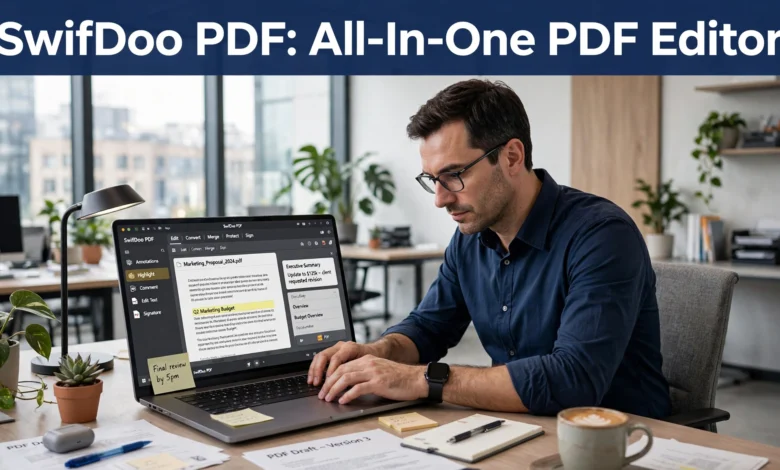
PDF files remain the gold standard for sharing documents across personal, academic, and professional environments. Whether you are a student marking up lecture materials, a freelancer preparing client contracts, or a small business employee processing invoices and reports, reliable PDF software is non-negotiable. Adobe Acrobat has long dominated this space, but expensive subscription pricing pushes many everyday users to look for affordable alternatives. That is where SwifDoo PDF enters the picture: a full-featured desktop PDF suite built to deliver enterprise-grade tools without the enterprise-level price tag.
In this hands-on review, we will break down SwifDoo PDF’s core functionality, real-world performance, AI-powered upgrades, security strengths, pricing tiers, and potential downsides to help you decide whether it fits your document workflow.
What is SwifDoo PDF?
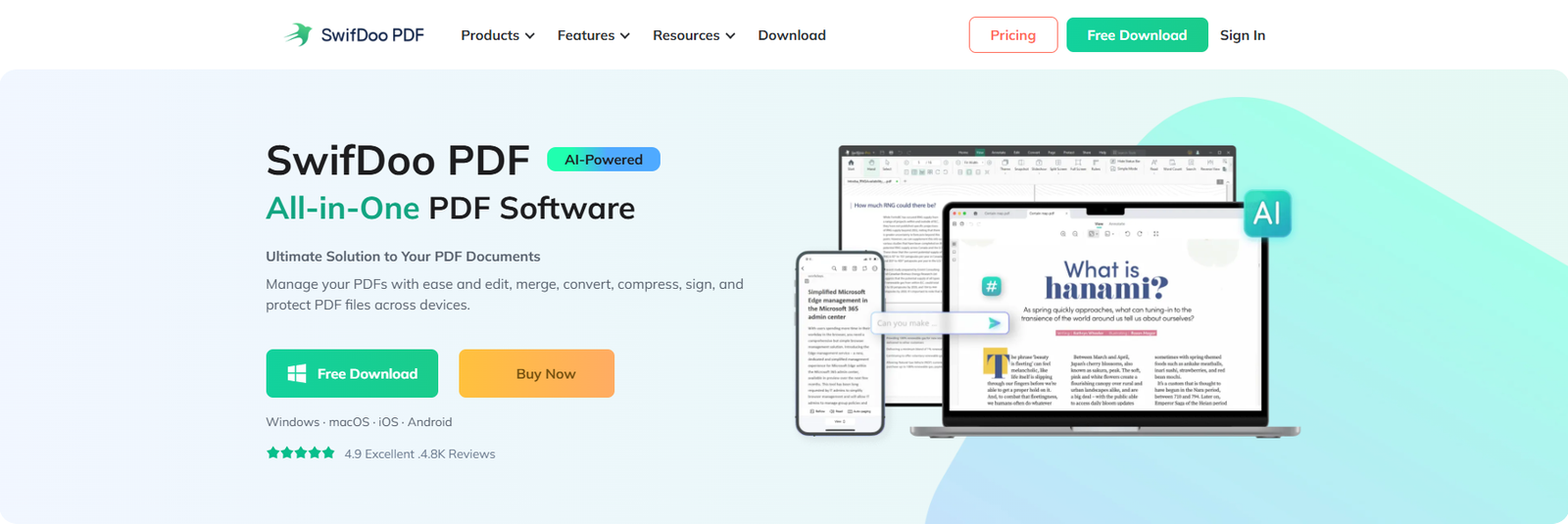
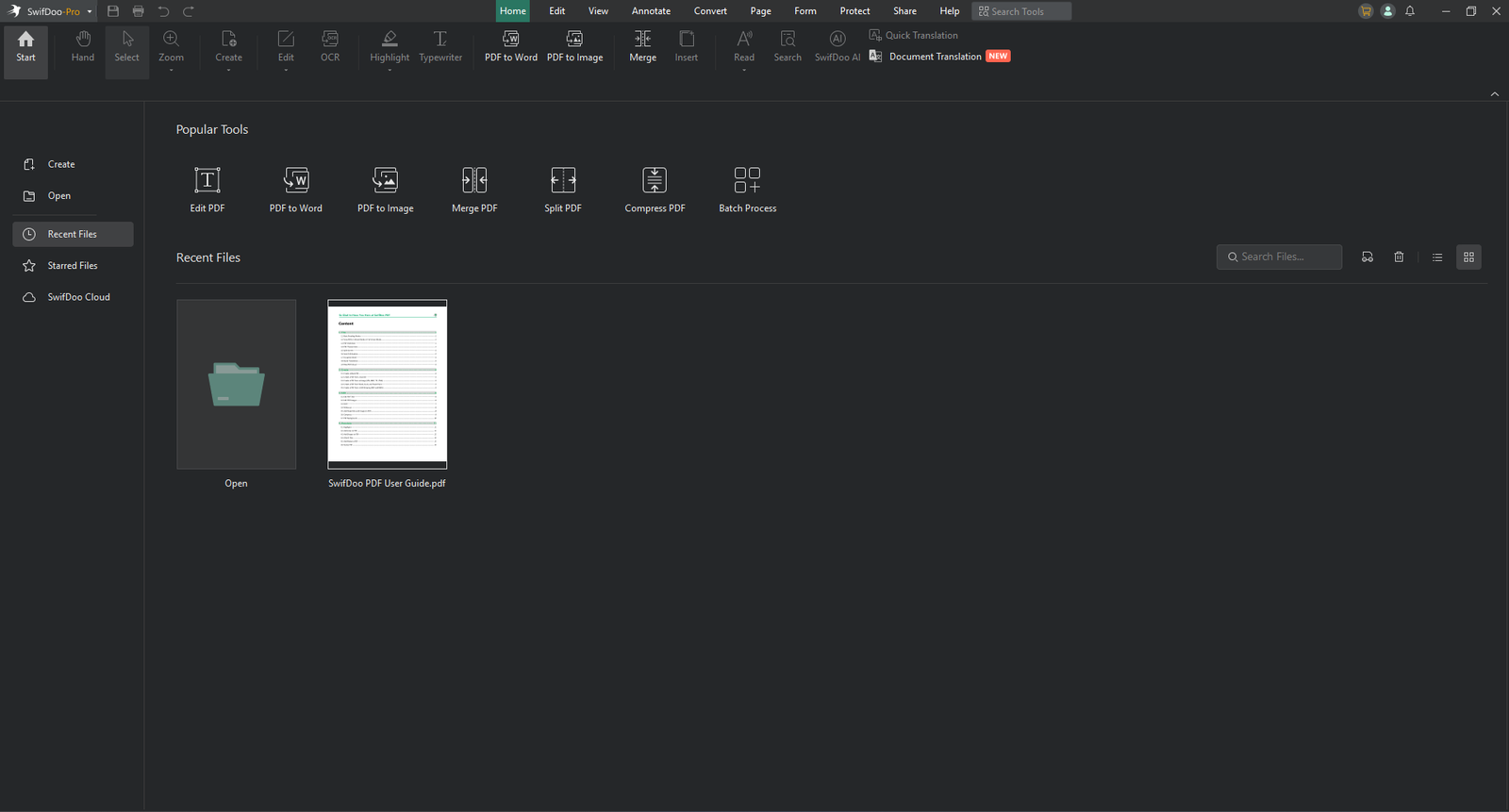
SwifDoo PDF is a cross-platform PDF management application available for Windows, Mac, iOS and Android, with limited web-based functions for quick conversion tasks. It covers nearly every common PDF operation: editing original text and images, batch conversion, annotation, scanned document OCR, file compression, page organisation, electronic signing, document encryption and newly added AI-driven PDF assistance. Unlike many lightweight freeware tools that lock critical features behind paywalls, SwifDoo PDF packages most practical capabilities inside its Pro license, and it also offers a free tier for basic reading and simple markup work.
Designed around a Microsoft Office-style user interface, the layout will feel instantly familiar to anyone who uses Word or Excel. Tools are grouped logically in top screen tabs: Edit, Convert, Annotate, Page, Protect and AI. There is no steep learning curve; even users with limited PDF editing experience can locate required functions within seconds.
Core PDF Editing Capabilities
Native PDF editing is one of the most frustrating pain points for casual users. Many cheap PDF tools only let you add text boxes on top of existing content, rather than modifying the original document text. SwifDoo PDF lets you directly edit embedded text blocks, adjust font styles, change colours, resize or replace images, and modify paragraph layout inside existing PDFs. You can insert new text fields, crop visuals, erase unwanted content, and add hyperlinks pointing to web pages or internal document pages.
During our testing, editing complex multipage reports worked smoothly. Formatting stayed consistent when tweaking paragraphs, and image replacement handled high-resolution photos without quality loss. It is worth noting that heavily styled documents with intricate graphic design may require minor layout adjustments, but for 90 % of business forms, academic papers, and general-purpose PDFs, native editing performs very well.
Annotation tools round out everyday document workflows. You can highlight text, add sticky note comments, draw shapes, insert stamps, underline or strikethrough content, and attach file comments. For group collaboration, all markups can be viewed, filtered, and exported, making review cycles simpler for team projects or student assignments.


Conversion, OCR and Batch-Processing Performance
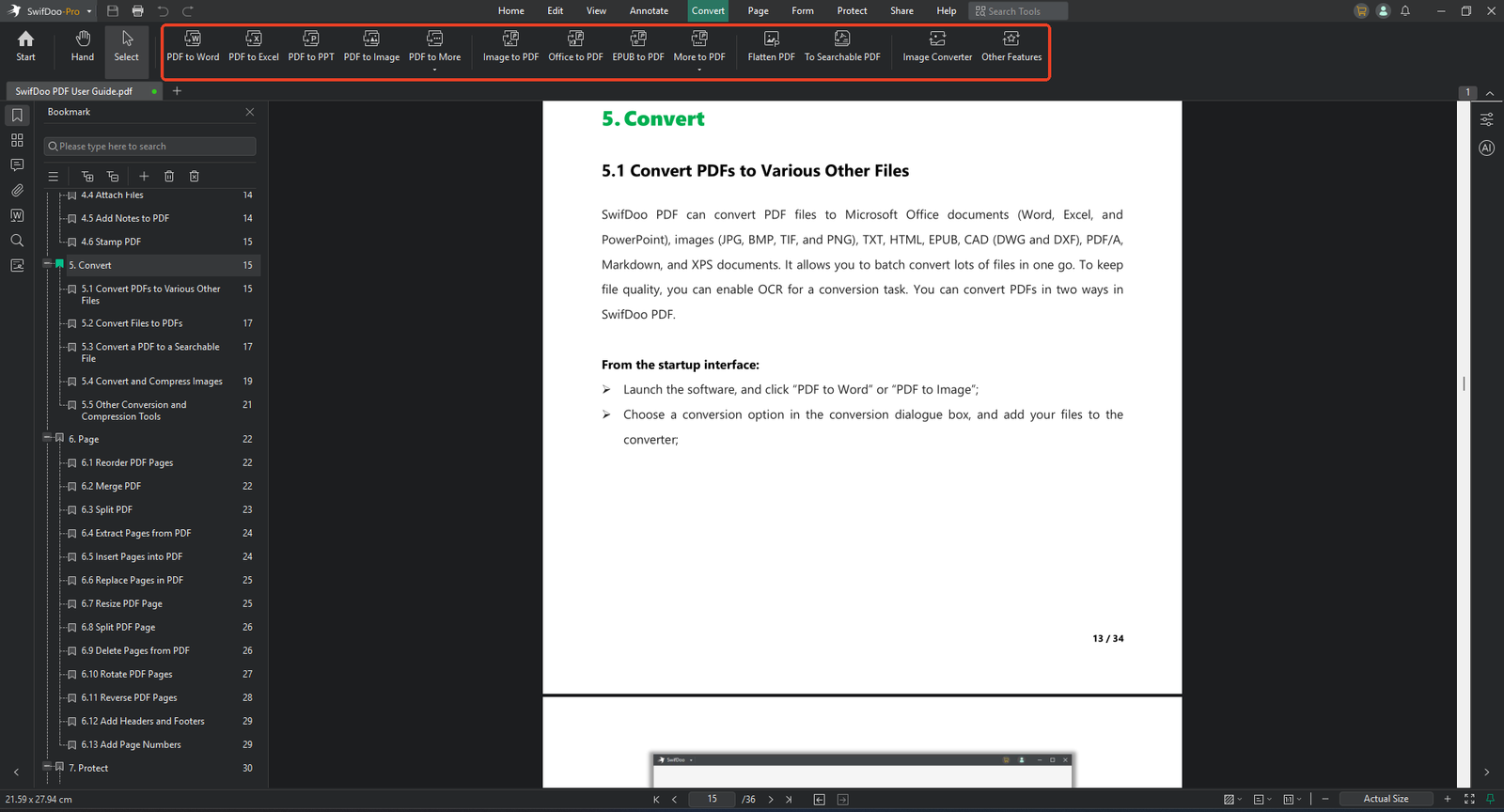
File conversion is another make-or-break feature for PDF software. SwifDoo PDF supports two-way conversion between PDF and Microsoft Office formats (Word, Excel, PowerPoint), plus images, EPUB, CAD files and more. Batch processing lets users import dozens of documents and run conversion jobs in one go, which saves massive amounts of repetitive manual work for office workers.
Format preservation is critical for conversions. A common complaint with competing PDF utilities is broken tables, misaligned paragraphs or lost images once you export a PDF into Word. In our real-world tests, SwifDoo PDF retained most table structures, fonts, and graphic elements during PDFtoWord exports. Simple documents converted nearflawlessly; complex multicolumn layouts needed small manual fixes after export, which is typical for most PDF converters on the market.
Its built-in Optical Character Recognition (OCR) deserves special attention. Scanned PDFs or photobased documents arrive as flat image files, meaning you cannot select, copy or search text. SwifDoo’s OCR engine turns imageonly PDFs into fully searchable, editable documents, supporting multiple global languages. Students digitising textbook pages, offices processing scanned invoices, and users handling old paper archives will find this feature extremely valuable. OCR accuracy was solid for clear scans; blurry low-resolution photos produced occasional character errors, which is standard across OCR technology.
Compression tools are equally practical. You can shrink large PDF files for email or cloud-sharing, choosing low, medium, and high compression presets to balance file size and visual quality. Batch compression is supported, so you can downsize an entire folder of PDFs in one operation. Merging multiple separate PDFs into a single file, or splitting long reports by pagerange, completes the core file-management toolkit.
AI-Driven PDF Tools: Modern Productivity Boost
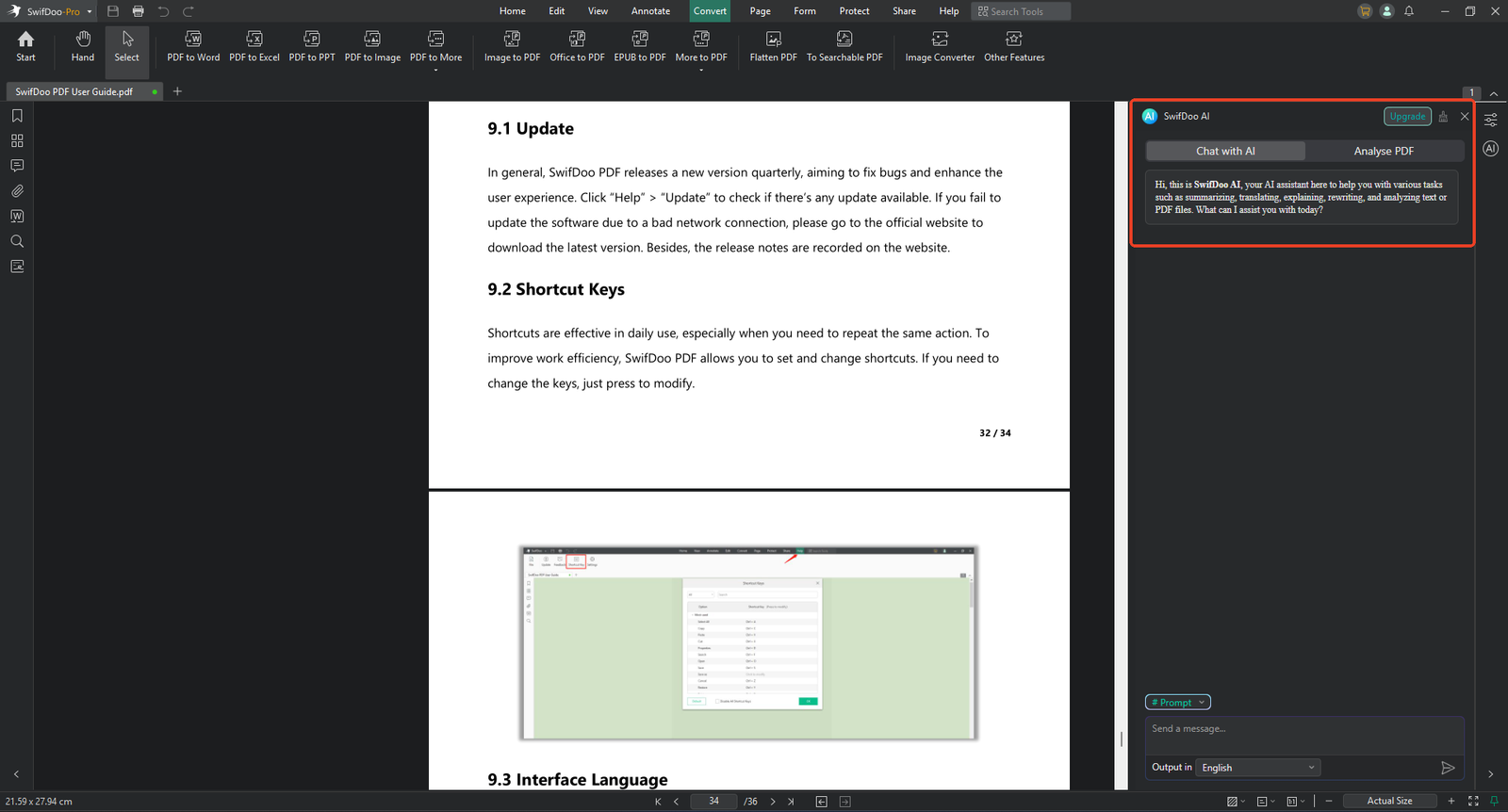
Recent software updates added SwifDoo AI, an integrated assistant built directly inside the desktop app, no separate browser tab required. The AI module can summarise lengthy PDF reports, rewrite awkward document paragraphs, proofread grammar, translate selected text across more than one hundred languages, and answer questions based on content inside your open PDF.
For professionals reading dense whitepapers or students digesting long research papers, summarisation cuts down reading time significantly. Instead of manually skimming dozens of pages, you can generate concise keypoint overviews in one click. The translation function works for highlighted snippets within PDFs, handy for multilingual contracts or foreign-language study materials.
It is important to manage expectations: AI output should always be reviewed for factual accuracy. Still, these smart features elevate SwifDoo PDF beyond traditional static PDF editors and align it with 2026 productivity expectations.
Security, E-Signatures and Document Protection
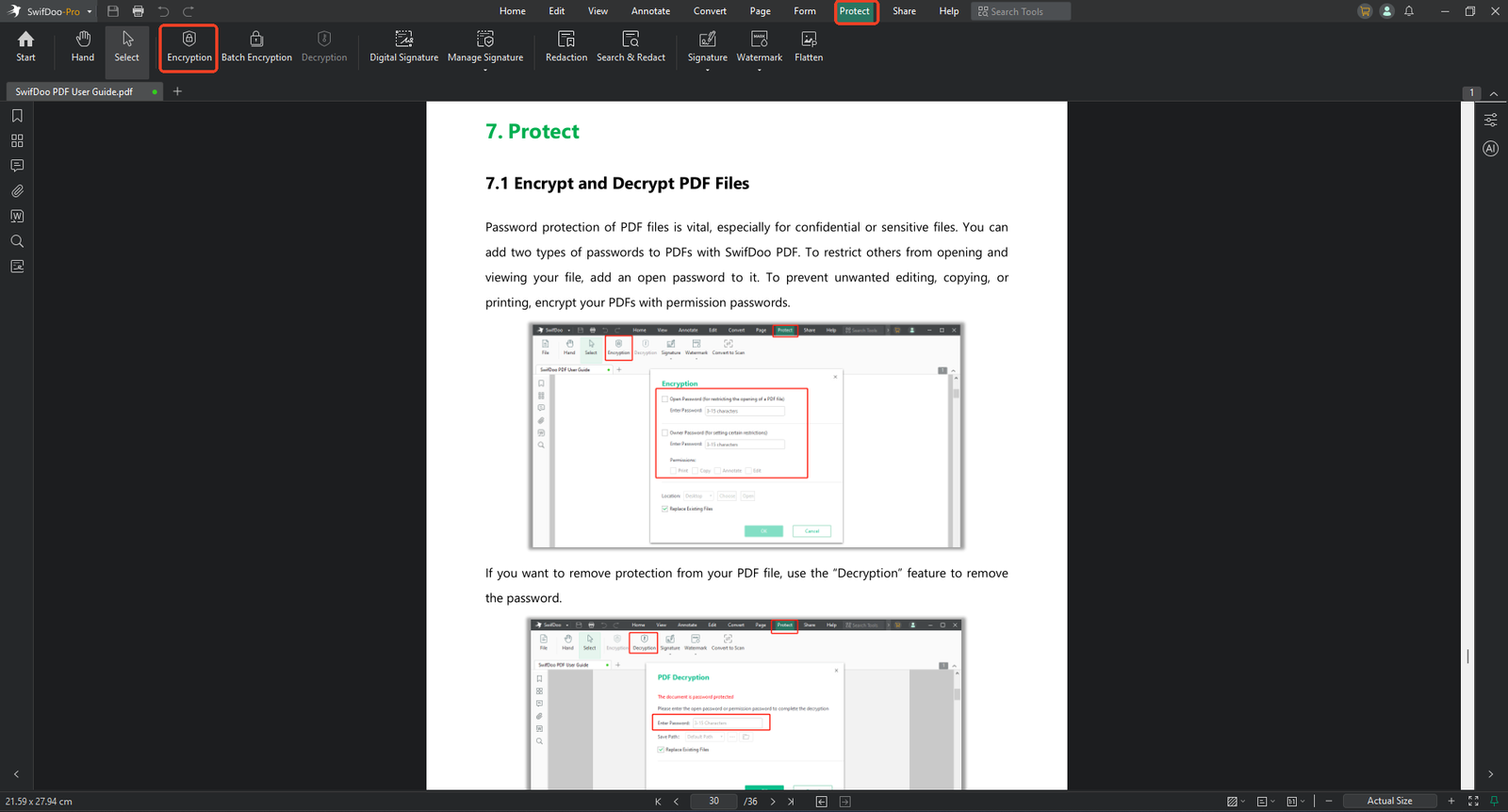
Working with contracts, personal records and confidential business files means document security cannot be an afterthought. SwifDoo PDF supplies two layer password protection: an open password to lock complete file access, and a permission password that restricts printing, content copying and editing, even if someone can open the PDF file.
Redaction functionality lets you permanently erase sensitive names, numbers or private data, so confidential information cannot be recovered by copying hidden underlying text. You can add custom text or image watermarks across pages to deter unauthorised file distribution.
The electronic signature feature supports hand-drawn signatures, image-based signature imports and typed text signatures. Users can place signatures anywhere on pages, which streamlines signing contracts, consent forms and agreements without printing and scanning physical paper copies. While it may not satisfy strict highest-level legal compliance requirements for regulated enterprise industries, it covers nearly all everyday small business and personal e-sign scenarios.
Platform Compatibility and Real-World Performance
SwifDoo PDF runs on Windows and Mac desktops, alongside companion mobile apps for iOS and Android, so you can view and annotate PDFs on phones and tablets on the move. The desktop application is comparatively lightweight; it launches quickly and processes large multi-hundred-page documents without excessive RAM consumption. Many competing PDF editors become slow or laggy when handling heavysize files, but SwifDoo PDF maintains responsive scrolling and editing performance on mid-range consumer laptops.
The free PDF editor allows PDF reading, basic annotation and limited conversion, but exports add watermarks for advanced operations. Unlocking full OCR, batch-processing, native editing and watermark-free output requires SwifDoo PDF Pro. One attractive selling-point is the availability of a permanent lifetime licence alongside standard annual subscriptions, giving users an alternative to recurring-subscription fatigue that plagues much productivity software.
Who Should Use SwifDoo PDF?
SwifDoo PDF hits the sweet spot for several user groups:
- Students: OCR for scanned notes, annotation tools, conversion for assignment submissions, and AI summarisation for research papers.
- Freelancers & Solopreneurs: Editing proposals, signing client contracts, compressing files for email, protecting confidential deliverables.
- Small office teams: Batch processing invoices and reports, merging documentation packages, without high enterprise-software budgets.
- Homeusers: Organising scanned personal paperwork, editing forms, managing ebooks and reference documents.
It is less ideal for high end professional publishing workflows that demand granular print/layout control. If your main work is complex graphic-design-oriented PDF production, dedicated layout software remains more suitable.
Pros and Cons
Pros
- Intuitive Office-style UI with minimal learning curve
- Comprehensive native PDF editing, conversion and OCR
- Practical built-in AI functions for summary, translation and proofreading
- Lightweight desktop performance, handles large files well
- Lifetime-licence purchase option, not only subscriptions
- Strong security toolkit: passwords, redaction, watermarking and e-signatures
- Cross-platform support for desktop and mobile
Cons
- Free tier adds watermarks to exported files
- Very complex multi-column graphicheavy layouts may need post-export manual adjustments
- Advanced publishing-oriented layout controls are limited
Final Verdict
SwifDoo PDF succeeds as a well-rounded, cost-effective alternative to expensive subscription-based PDF editors. It delivers almost every tool regular users will need for PDF creation, modification, conversion, security, and collaboration. The addition of native AI assistance brings modern convenience without forcing you to switch to web-only tools.
If you are tired of paying high recurring fees for PDF software, and you need reliable local-desktop PDF processing for study, freelance or small-business work, SwifDoo PDF deserves serious consideration. It balances power, usability, and pricing in a way few competing products manage.